
Greenwave: Design System<span data-metadata="">
Join us to learn about the creation of the design system for the Hub, a free training program for ocean farmers with over 2,400 users. As part of the Design team, I led the documentation of the system. Discover how we overcame design challenges, created a consistent user experience, and improved efficiency and collaboration.

The need to document
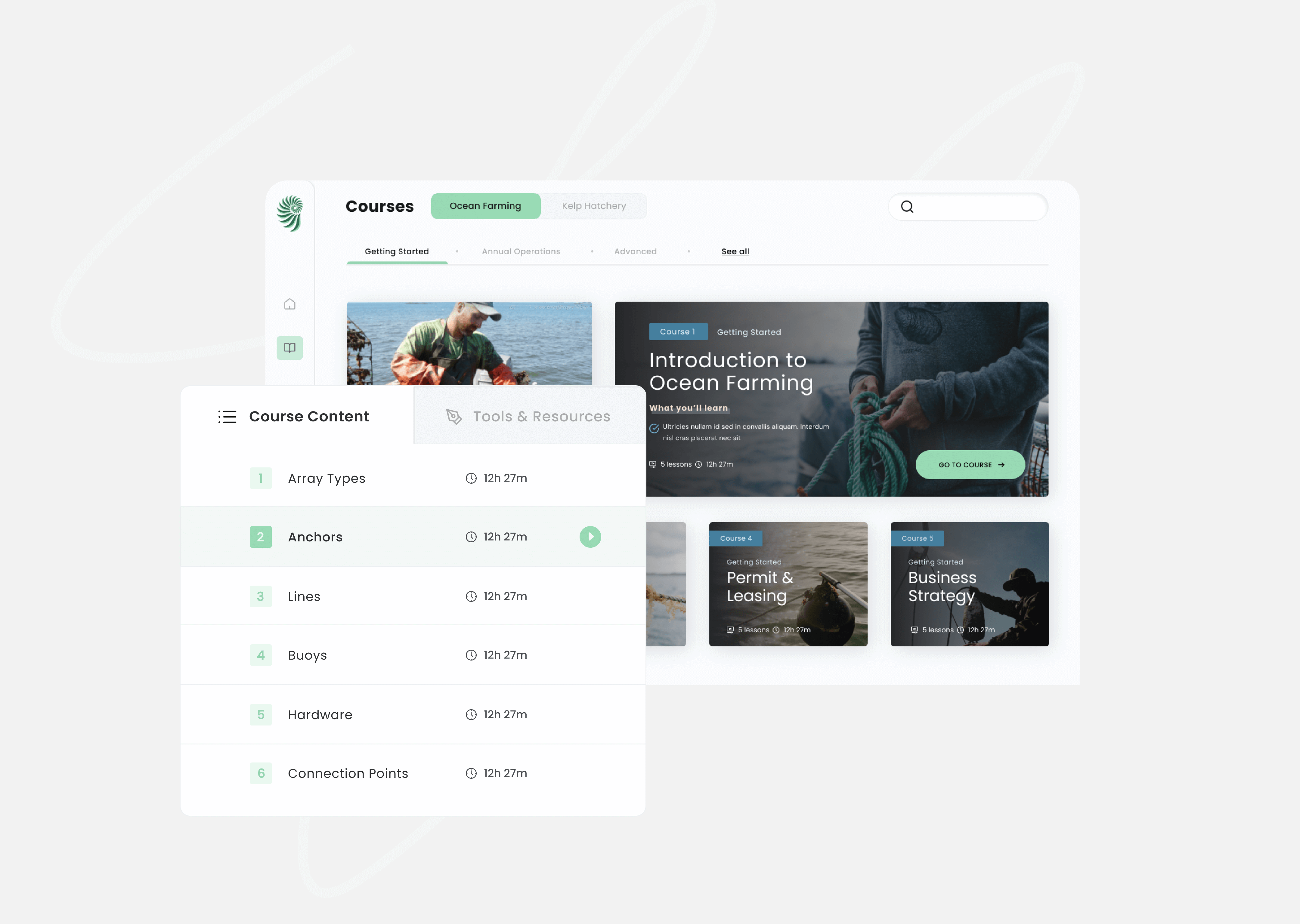
At Greenwave, the need to document and scale a design system became evident as the company grew and the number of designers working on the same files increased. Additionally, there was a growing need to align design with development and ensure consistency across different features. Without a design system in place, the team faced several problems:
1. Lack of consistency
With several designers working on the same files and solving similar design problems in different ways, there was a lack of consistency across the product. This led to confusion among users and made it harder to maintain and update the product over time.
2. Designs that wouldn't scale
Without a design system, it was challenging to create designs that could scale as the product evolved. This led to designs that were difficult to maintain and update, slowing down the development process.
3. Designers working on component creation instead of user-problem solving
Without a clear design system in place, designers often spent more time thinking about how to present or create components rather than focusing on user-problem solving. This led to less effective design decisions and less efficient use of designers’ time.
4. Chaotic onboarding of new team members
Without a strong and up-to-date design system in place, onboarding new designers to the team was chaotic. Designers would often solve design problems by creating new components rather than reusing existing solutions, leading to duplicated efforts and a lack of consistency.
To address these challenges, the Greenwave team decided to start a design system. By creating a centralized repository of design components and guidelines, they were able to ensure consistency, scalability, and efficient use of designers’ time. Additionally, new team members could quickly onboard and start contributing to the product without having to reinvent the wheel.

Creating an Inventory of Existing Components
Before embarking on the process of creating a design system, our team first needed to understand the components that were already in use by the design team. To do this, we conducted an inventory of all the existing components. This allowed us to identify duplicated components and to determine which components were used most frequently.
Using Atomic Design Approach
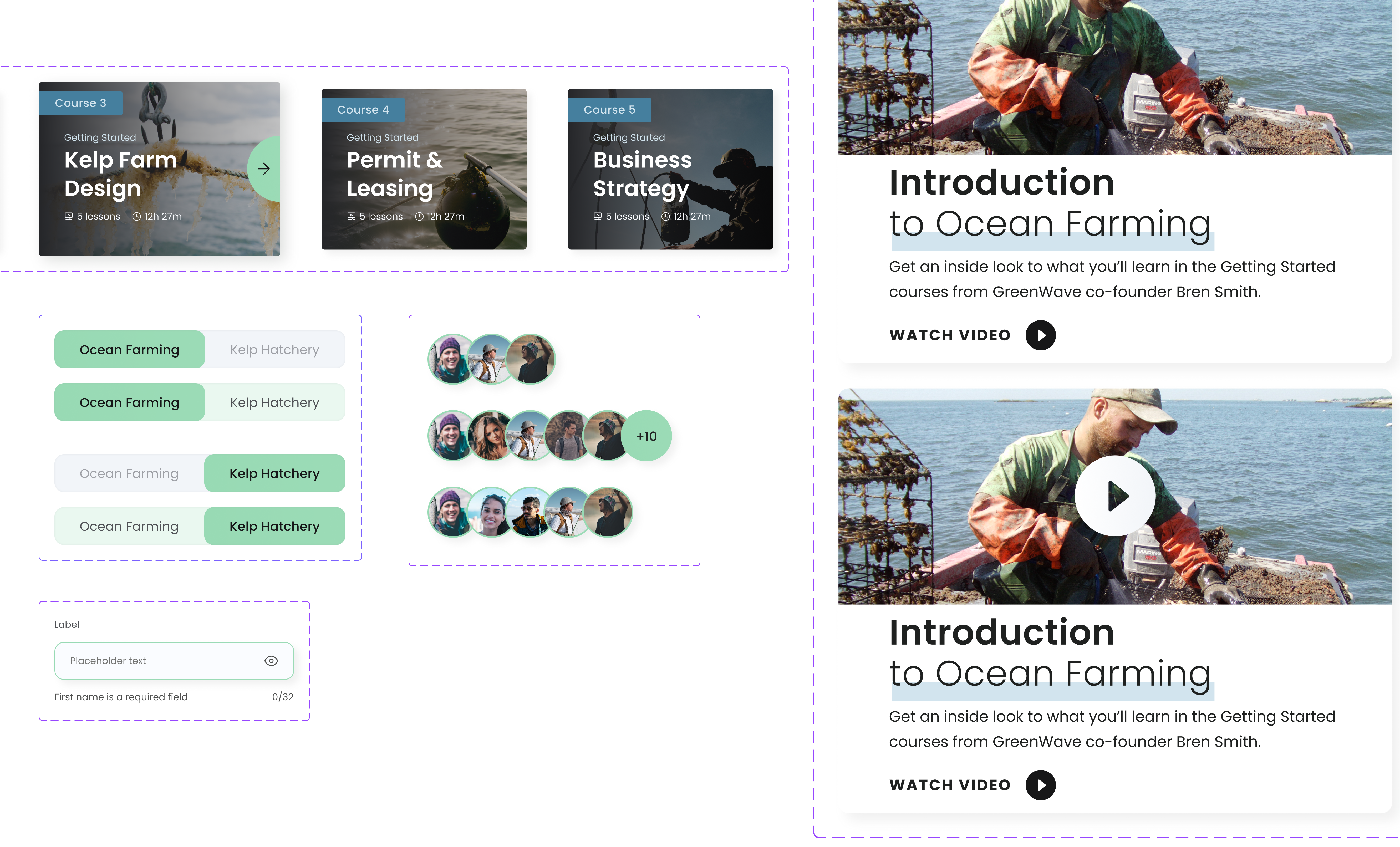
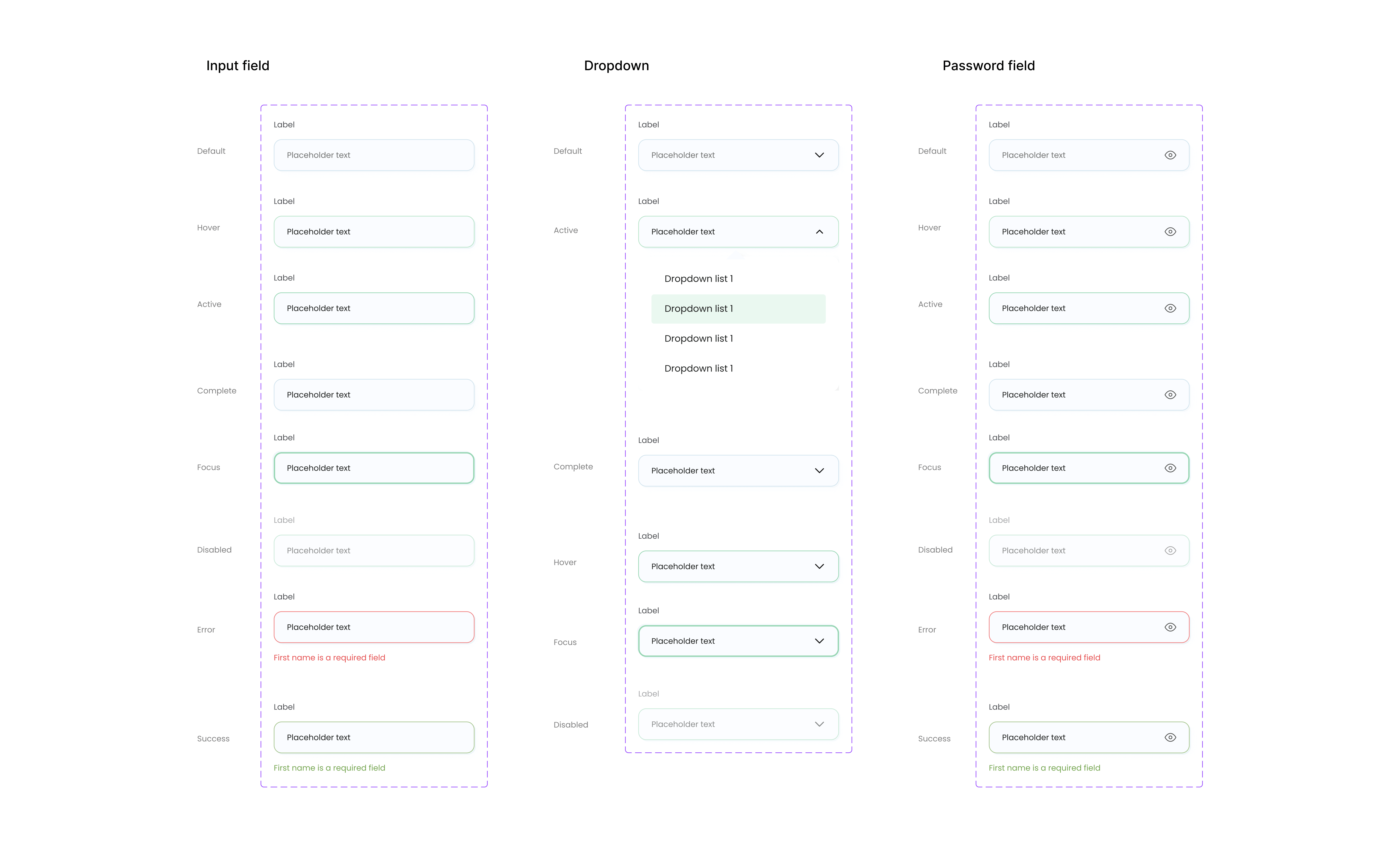
We then decided to use the Atomic Design approach to create our design system. This approach involves breaking down larger components into smaller, more manageable parts, or “atoms”. We started by documenting the atoms that were most commonly used by the design team, such as icons, buttons, and inputs.
Building Up to Larger Components
Once we had documented our atoms, we moved on to creating larger components by combining atoms into “molecules”. These molecules included things like form fields and buttons with icons. From there, we built even larger components, such as “organisms” that included multiple molecules and served as reusable building blocks for larger parts of the design.
Creating Templates
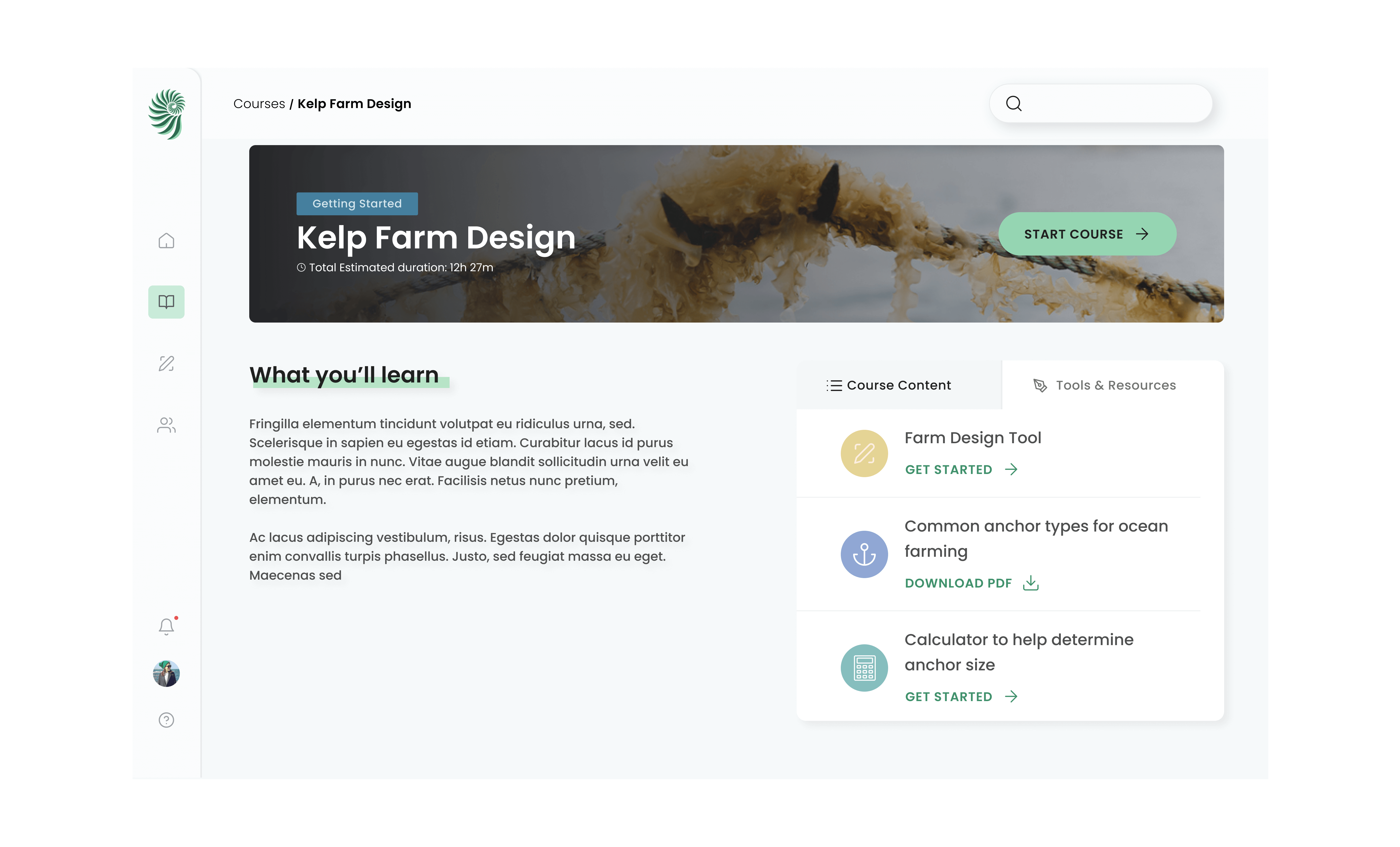
Finally, we used the organisms and molecules we had created to develop templates, which are complete design compositions for specific use cases, such as a landing page or a checkout flow. These templates serve as a way to easily implement our design system across different parts of our product.
Conclusion:
In conclusion, our design system case study demonstrates the effectiveness of using the Atomic Design approach to create a modular and flexible design system. By breaking down our system into smaller building blocks, we were able to easily identify and eliminate duplicated components, which improved our team’s efficiency. The use of templates allowed us to quickly apply our design system to new parts of our product, ensuring consistency across our entire platform. Our design system has proven to be a valuable asset for our product, allowing us to create high-quality designs with speed and consistency. By investing in a design system, we have been able to streamline our design process and improve the overall user experience of our product.